

Do you feel like your mind is bursting with tasks, notes, and ideas? We’ve all been there. Your brain should be for creating amazing ideas, not just storing information.
It’s time to free up your mental space. We’re going to show you how to build a second brain for school, work, and life. This system is like a trusted partner, taking over the mental clutter so you can focus on what’s important.
With this digital space, you’ll never worry about forgetting something again. Let’s make your daily tasks into a fun and productive learning journey that meets your goals.
Key Takeaways
- Your mind is designed for generating ideas, not storing them long-term.
- Building an external system reduces stress and mental fatigue.
- A reliable digital setup helps you stay organized across all areas of your day.
- Focusing on what matters becomes easier when your notes are managed properly.
- You can customize these methods to fit your specific study and career needs.
Understanding the Second Brain Philosophy
Imagine having a system that never forgets your ideas. We often treat our minds like a never-ending filing cabinet, leading to burnout. With a second brain, you can stop worrying about losing your best ideas.
The Cognitive Load Problem in Modern Education
Modern school life is overwhelming. You face lectures, readings, and deadlines that demand your full attention. This creates a huge cognitive load that leaves you exhausted before the day ends.
Trying to remember every detail leaves no room for thinking. You get stuck in memorization instead of understanding. It’s time to stop treating your brain like a hard drive.
Why Your Brain is for Processing, Not Storing
Your brain is meant for having ideas, not storing them. Trying to make it a fact warehouse stifles creativity. It’s built for making connections and solving problems, not storing data.
“The mind is for having ideas, not holding them.” — David Allen
By changing your view, you let your mind do what it does best. You become a creator, not just a collector. This is the heart of effective personal knowledge management.
The Benefits of Externalizing Your Knowledge
Putting your notes and insights in a digital space brings calm. You no longer fear losing brilliant thoughts. This approach to personal knowledge management has many benefits:
- Reduced Anxiety: You stop worrying about forgetting important details.
- Better Focus: Your mind is free to focus on current tasks.
- Increased Creativity: You can easily connect old ideas to new projects.
Creating a second brain is more than organization. It’s about saving your mental energy. It turns overwhelming information into a manageable flow. Learning becomes more enjoyable with a trusted partner for your knowledge.
Choosing Your Digital Infrastructure
Your digital workspace is key to your second brain. It’s important to pick a place for your ideas that feels right. We don’t want you to get stuck in complicated setups.
Evaluating Note-Taking Applications
Starting with digital note-taking can feel overwhelming. Look for a tool that fits your workflow. It should be a reliable spot for all your thoughts.
Notion for Structured Databases
If you like things organized, Notion is for you. It’s great at making structured databases. It keeps your work and school stuff in order.
Obsidian for Linked Thinking
Obsidian is good for those who like to connect ideas freely. It lets you link thoughts like a web. It’s perfect for seeing how ideas relate over time.
Evernote for Quick Clipping
Evernote is great for saving things fast. It’s perfect for quick clipping and saving web articles. It’s simple and works well.
Syncing Across Devices for Seamless Access
Whatever tool you pick, syncing is crucial. Your notes should be on your phone, tablet, and laptop always. This way, you can jot down ideas anytime, anywhere.
| Application | Best Feature | Ideal User |
|---|---|---|
| Notion | Structured Databases | Project Managers |
| Obsidian | Linked Thinking | Deep Researchers |
| Evernote | Quick Clipping | Casual Collectors |
How to Build a Second Brain for School, Work, and Life
Let’s explore how to organize your digital life using the CODE framework. This method includes Capture, Organize, Distill, and Express. It’s the key to managing your information effectively. By following these steps, you’ll go beyond just storing data and start achieving real results.
Defining Your Primary Objectives
Before you start organizing files, you need to know why you’re doing it. Without clear goals, your digital space can become cluttered. Focus on what you want to achieve this semester or quarter.
“The goal of a second brain is not to store everything, but to ensure that the right information is available when you need it most.”
Think about what problems you’re trying to solve. Do you want to streamline research, manage projects, or clear your mind? Knowing your goals helps your system grow, not stress you out.
Setting Up Your Digital Workspace
Your digital workspace should feel like an extension of your mind. It should be clean, easy to use, and ready for action. Start with a simple folder structure that reflects your priorities.
- Keep it simple: Don’t make your folder hierarchy too complicated at first.
- Prioritize accessibility: Make sure your most important notes are easy to find.
- Stay consistent: Use naming conventions that make sense to you now and in the future.
Establishing a Consistent Workflow
A good system relies on consistent habits. You need a rhythm that turns information into actionable knowledge. Think of it as your personal productivity system.
Try to spend a few minutes each day organizing your notes. Consistently using the CODE method helps you feel in control. You’ll know that every piece of data has a purpose in your life.
Capturing Information Effectively
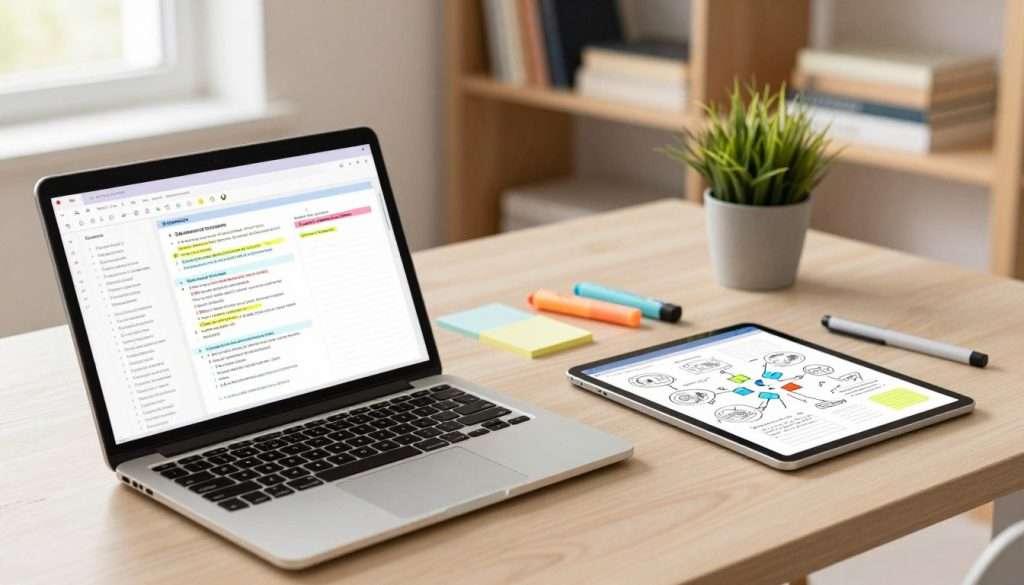
Imagine saving every great idea easily. Capturing information should be fun, not stressful. With digital note-taking, saving knowledge becomes a smooth habit that helps you grow.
The Art of the Quick Capture
Capture only what truly matters to you on an intuitive level. You don’t need to save everything. Focus on what sparks inspiration and makes you think, “This is important.”
Keep your capture simple to stick with it. Use a tool like a smartphone app or browser extension. If saving a thought takes too long, you’ll skip it.
Filtering Noise from Valuable Insights
We’re surrounded by too much information. To keep your digital note-taking clean, learn to filter. Ask if content is truly useful or just interesting for now.
- Does this provide a new perspective?
- Will this help me with a current project?
- Does it align with my long-term goals?
If not, let it go. You’re building a library of valuable insights, not junk. Quality is more important than quantity for your knowledge base.
Tools for Automated Information Gathering
Use tools to save time. Automation helps you save important ideas without constant effort. Technology, like syncing book highlights or saving articles, is your ally.
| Tool Type | Primary Benefit | Best For |
|---|---|---|
| Web Clippers | Instant saving | Articles and research |
| Read-it-later Apps | Distraction-free | Long-form content |
| Automation Services | Hands-off syncing | Connecting different apps |
By setting up these workflows, your digital note-taking stays consistent. You can focus on learning and creating while your system organizes in the background.
Organizing Your Knowledge with the PARA Method
If your desktop is a mess, it’s time for a change. We often struggle with too many places to look. A streamlined approach can help you focus and get things done.
Understanding Projects, Areas, Resources, and Archives
The PARA method is great for managing digital life. It focuses on what you need to do now. This keeps your important tasks in sight.
- Projects: Short-term efforts with a specific deadline.
- Areas: Ongoing responsibilities that require a standard over time.
- Resources: Topics or interests that you want to keep for future reference.
- Archives: Completed items or things you are no longer actively using.
Categorizing School Assignments and Work Tasks
For school, put your current essay or lab report in Projects. Class notes for the whole semester go in Areas. This keeps your work on top and your old notes out of the way.
Separating tasks from reference material helps you start new work faster. You’ll spend less time searching and more time learning.
Managing Long-Term Knowledge Repositories
Many worry about organizing their notes and research. Use Resources for your library of useful things. Move finished projects to Archives to keep your space tidy.
| Category | Primary Focus | Time Horizon |
|---|---|---|
| Projects | Active Tasks | Short-term |
| Areas | Responsibilities | Ongoing |
| Resources | Interests | Long-term |
| Archives | Completed Work | Inactive |
This system is designed to be easy. It frees your mind, letting you trust your information is in the right place. With better information organization, you can focus on building your future.
Distilling Insights for Long-Term Retention
Think of your notes as a time capsule for your future self. Capturing information is just the start. Distilling those notes is where the magic happens. This process boosts your memory enhancement, making your efforts valuable when you need them.

The Progressive Summarization Technique
Progressive Summarization makes your notes easy to read in seconds. Instead of a wall of text, you create layers of detail. Start by bolding key sentences, then highlight important phrases.
By the end, you can quickly grasp the main points of a long document. This memory enhancement strategy saves time. It turns your notes into a quick reference guide.
Highlighting Key Concepts for Future Review
Highlighting leaves breadcrumbs for your future self. Focus on core ideas that matter for your goals. Ignore concepts that don’t help solve problems or spark new ideas.
Keep your highlights clean and focused. This makes future review sessions faster and more effective. Your memory enhancement will improve as you engage with the material meaningfully.
Turning Raw Data into Actionable Knowledge
Raw data is just noise until it has a purpose. To make information useful, ask how each note relates to your projects. When you connect data to a task, it becomes actionable knowledge.
This mindset change transforms how you store information. You move from collecting for the sake of it to building a useful system. Use the table below to see how your notes evolve through this process.
| Stage | Action | Benefit |
|---|---|---|
| Raw Capture | Saving everything | Prevents losing ideas |
| Distillation | Highlighting key points | Faster future review |
| Actionable | Applying to projects | Real-world results |
Expressing Your Ideas Through Creative Output
Creativity isn’t just magic; it’s about building on what you’ve learned. You’ve spent time gathering and organizing your thoughts. Now, it’s time to see the results.
This is when your system turns from a simple storage place into a powerful tool. It lets you express your unique voice.
Connecting Dots Between Disparate Notes
The magic happens when you see patterns across different topics. A quote from history might explain a marketing concept. Looking at your notes as a web of ideas, you create original insights that others might miss.
“Creativity is just connecting things. When you ask creative people how they did something, they feel a little guilty because they didn’t really do it, they just saw something.”
Look for themes that repeat in your folders. Linking these pieces of information is not just summarizing. It’s synthesizing new knowledge. This turns your notes into a vibrant, living resource.
Drafting Projects Using Your Stored Knowledge
Starting a blank page is a thing of the past. Use your stored knowledge to create your work. This saves you massive amounts of time and reduces stress.
Think of your notes as building blocks. You have the raw materials. Now, arrange them into a structure for your goal. This ensures your projects are based on solid research and personal reflection.
Iterative Improvement of Your Work
Your first draft is never the final version, and that’s okay! Focus on iterative improvement. Refine your ideas over time. Add new layers of understanding as you learn more.
Share your voice with confidence by treating your projects as works in progress. Each time you revisit your notes, you can sharpen your arguments and clarify your message. Remember, your system supports your growth, not perfection on the first try.
Integrating Study Routines and Memory Techniques
Imagine having a personal tutor that remembers every single detail you have ever learned. By using your second brain, you can change how you study every day. We aim to help you avoid stressful cramming and find a more relaxed, effective way to learn.
Leveraging Your Second Brain for Exam Prep
Exam prep can feel overwhelming, but your digital system makes it easier. Tools like Evernote AI Transcribe can turn audio lectures into text you can search instantly. This way, you never miss a key point, even if you get distracted.
After your notes are transcribed, you can tag them by subject or exam date. This keeps your study materials organized and ready for review. Having everything in one place can greatly reduce your pre-exam anxiety.
Active Recall and Spaced Repetition Integration
True memory enhancement comes from testing yourself, not just re-reading notes. Use your digital notes to make flashcards or simple quiz questions. This strengthens your neural pathways.
Spaced repetition is also key. Reviewing your notes at increasing intervals helps move information from short-term to long-term memory. Your system can remind you when to review a topic again.
Accessing Deeper Learning Resources
Your digital library should hold more than just class notes. It should store articles, videos, and research papers that add context to your studies. Connecting these resources to your own thoughts deepens your understanding.
How to Become the Smartest Student in the Classroom
Becoming the smartest student is about working smarter, not harder. By consistently using these methods, you build a unique perspective. You can synthesize information quickly and contribute valuable insights in class.
| Study Method | Primary Benefit | Best Tool |
|---|---|---|
| Active Recall | Boosts Retention | Flashcard Apps |
| Spaced Repetition | Prevents Forgetting | Digital Calendar |
| AI Transcription | Captures Lectures | Evernote |
| Progressive Summarization | Simplifies Complexity | Second Brain |
Maintaining Your System for Sustainable Productivity
Building a system is just the start. Keeping it up is where the real magic happens. A digital workspace needs regular care to stay useful. If you ignore it, your personal knowledge management setup can quickly turn into a cluttered mess that adds stress instead of removing it.
Weekly Reviews to Keep Your System Clean
The secret to a stress-free life is the weekly review. Think of this as a quick pit stop for your brain. During this time, you look at your productivity tools to see what worked and what needs a little adjustment.
Spend about twenty minutes clearing out your inbox and filing away loose notes. This simple habit ensures that your digital space remains a helpful partner rather than a source of anxiety. It keeps your focus sharp and your mind clear for the week ahead.
Archiving Completed Projects
When a project wraps up, don’t just leave it sitting in your active workspace. Moving finished items to an archive folder is a vital part of effective task management. It clears the visual noise so you can focus on what matters right now.
Archiving doesn’t mean deleting your hard work. It simply means moving it to a “cold storage” area where you can find it later if needed. This keeps your active folders lean and mean.
Simplicity is the ultimate sophistication.
Avoiding the Trap of Over-Organization
It is easy to get carried away with complex folders and tags. But information organization should never become a full-time job. If you spend more time organizing your notes than actually using them, you have fallen into the over-organization trap.
Keep your structure as simple as possible. If a folder doesn’t serve a clear purpose, delete it or merge it with another. Your goal is to build a system that supports your life, not one that demands constant maintenance.
| Habit | Frequency | Goal |
|---|---|---|
| Weekly Review | Every Sunday | Clutter Removal |
| Project Archiving | Upon Completion | Focus Clarity |
| System Audit | Once a Month | Efficiency Check |
By staying consistent with these small habits, you ensure your system remains a powerful asset. Remember, the best system is the one you actually enjoy using every single day!
Conclusion
Building a second brain makes studying fun and creative. You now have tools to capture and organize your best ideas. This helps you stay focused and achieve your goals.
Take control of your learning and feel empowered. Saving each note brings you closer to mastering your subjects. You’re ready to turn information into results.
Want to dive deeper? If this guide sparked your interest, check out my free book. It’s called How to Become the Smartest Student in the Classroom. It covers memory techniques and study routines that work.
There’s no cost and no catch. Get your free copy here at Studying Machine. Start building your future today.