
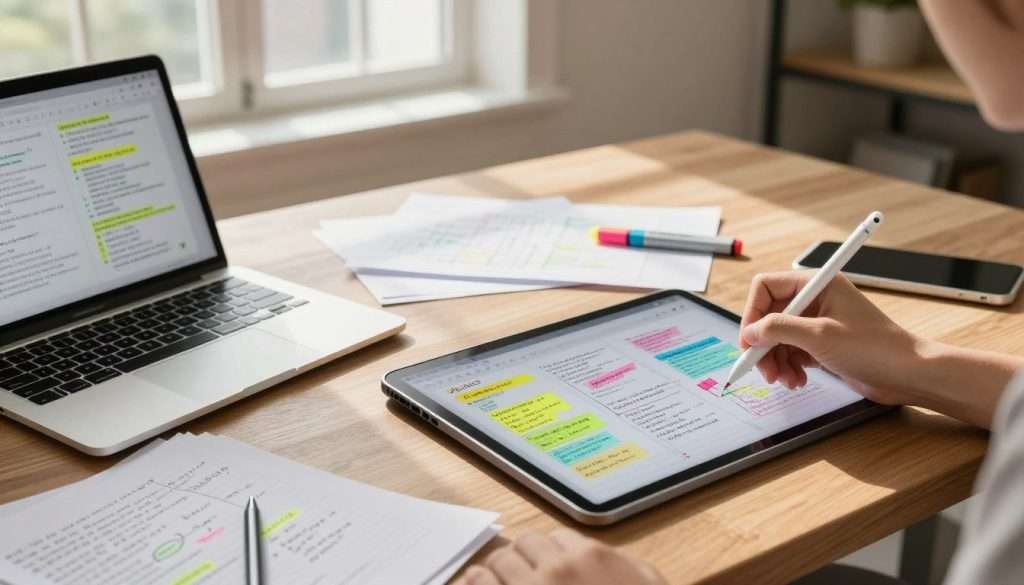
Have you ever sat in a lecture hall, stared at a blank screen, and considered using a pen? The debate over digital vs. paper notes: which one helps you learn better? challenges every student. We all want an efficient way to ace our exams.
Modern digital note taking offers speed, easy searching, and endless storage for multimedia files. Still, ink on paper feels special. Handwriting makes your brain process information deeply, which can lead to stronger memory retention and fewer distractions during class.
The best system depends on your learning style, subject, and goals. Test both methods to find what works for your brain.
If you want to learn more, my free book, How to Become the Smartest Student in the Classroom, offers a full system of study routines that stick. You can grab your free copy here.
Key Takeaways
- Speed and organization are the primary benefits of using a laptop.
- Handwriting encourages deeper cognitive processing and better focus.
- The best method depends on your personal learning style and the specific subject.
- Testing both approaches helps you build a custom system for academic success.
- Effective study habits rely on active engagement rather than just the medium used.
Why Your Note-Taking Method Affects Learning
Taking notes means more than writing down what your teacher says. Many students treat lectures like transcription services and try to capture every word. However, true learning begins when you engage with the material in real time.
When you process ideas instead of recording them, note-taking becomes a powerful active learning experience. To master these strategies, read my free book, How to Become the Smartest Student in the Classroom. It offers a complete system for better study routines.
Notes as a Tool for Processing, Not Just Recording
Treat your notes as a filter, not a bucket. When you summarize ideas in your own words, your brain must judge what matters. This is one of the most effective study techniques for students today.
Organizing information as you listen helps you spot patterns and connections. Rather than filling pages, you build a mental map of the subject. This makes future review faster and more natural.
The Difference Between Capturing Information and Understanding It
Capturing information is mechanical, but understanding it requires deep thought. Asking questions during a lecture takes you beyond simple transcription. You begin to see how new concepts fit what you already know.
This process of elaboration makes information stick. If you only copy slides, pause to write a summary or question in the margins. These learning methods help you find knowledge gaps before the exam.
How Study Goals Change the Best Note-Taking Choice
Your goals should guide how you take notes. A quick lecture may require speed, while a complex textbook chapter needs deep, analytical focus. Choosing the right approach for each task marks a successful student.
| Study Goal | Primary Focus | Recommended Method |
|---|---|---|
| Quick Capture | Speed and volume | Digital typing |
| Deep Comprehension | Connections and logic | Handwritten mapping |
| Exam Preparation | Active recall | Summarizing and testing |
| Long-term Reference | Searchability | Digital tagging |
Digital vs. Paper Notes: Which One Helps You Learn Better?
Choosing between a laptop and a notebook affects more than preference; it also affects how your brain processes information. You may wonder about digital vs. paper notes: which one helps you learn better? Both methods offer unique benefits for different goals.
How Digital and Paper Note-Taking Compare at a Glance
Speed, organization, and searchability
Digital note taking is a powerhouse when it comes to speed. You can capture almost every word a professor says, which helps during fast-paced lectures. Digital files are also easy to organize, tag, and search later.
Focus, memory, and information processing
Paper notes force you to slow down. Because you cannot write as fast as you can type, you naturally summarize and synthesize ideas. This paraphrasing helps you engage with the material more deeply.
Flexibility, cost, and accessibility
Digital tools let you add links, images, and audio clips directly to your notes. Paper is often cheaper and avoids digital distractions, such as notifications or social media. It provides a tactile experience that many students find grounding.
What Research Suggests About Learning Outcomes
Research, including findings from the Norwegian University of Science and Technology, suggests that handwriting can improve conceptual understanding. The cognitive processes involved in forming letters by hand seem to activate different brain areas than typing. This does not mean digital is “bad,” but writing physically creates a stronger memory trace for some learners.
Why the Best Method Depends on the Student and the Subject
Ultimately, the best method depends on what you study and how your brain works. If you need to record complex diagrams or math equations, paper might be your best friend. If you attend a fast-paced history lecture, digital tools can capture more data.
| Feature | Digital Notes | Paper Notes |
|---|---|---|
| Speed | High (Typing) | Moderate (Writing) |
| Organization | Excellent (Searchable) | Manual (Physical filing) |
| Focus | Variable (Distractions) | High (Deep work) |
| Memory | Good for retrieval | Excellent for retention |
To explore these strategies, read my free book How to Become the Smartest Student in the Classroom. It offers a full system with memory techniques, study routines, and strategies that actually stick. There is no cost or catch, and you can grab your free copy here.
How Digital Note-Taking Supports Modern Students
If your pen cannot keep up with your professor, you may need a digital upgrade. Digital note taking helps students manage busy schedules and heavy reading lists. It turns lecture chaos into a structured, searchable knowledge library.
Typing Quickly During Fast-Paced Lectures
When a professor speaks quickly, typing can become your best friend. You can capture key concepts without losing the conversation’s flow. Speed is the primary advantage here, letting you record more detail than handwriting.
Organizing Notes With Folders, Tags, and Search Tools
Have you spent twenty minutes searching for one definition? Digital systems use folders and tags to keep everything organized. The search function helps you find any topic within seconds.
Combining Text With Images, Audio, Links, and Diagrams
Your notes can include more than plain text. You can embed a diagram of a complex cell structure or record audio explaining a tricky idea. Linking these resources together creates a rich, multi-sensory study guide for difficult subjects.
“The best tools are the ones that help you think, not just the ones that help you store information.”
Using Educational Technology for Review and Collaboration
Modern educational technology does more than support typing; it helps you build a useful system. Reviewing with these tools turns passive recording into active learning.
Cloud synchronization across laptops, tablets, and phones
You no longer need to worry about leaving your notebook at home. Cloud sync keeps your latest notes available on every device, whether you are in the library or on the bus.
Shared documents for group projects and class discussions
Collaboration becomes easy when you share documents with your project team. You can edit in real time, leave comments, and build shared understanding. Explore these strategies in my free book, How to Become the Smartest Student in the Classroom. It shares a full system for success. Grab your free copy here.
How Paper Note-Taking Strengthens Attention and Recall
Many students find that paper note taking turns a boring lecture into a meaningful conversation. Instead of transcribing every word, you actively join your own learning. This shift is one of the most effective study techniques you can use today.
Why Handwriting Encourages Selective Note-Taking
Because writing by hand is slower than typing, you cannot capture every word. This limit is a hidden superpower. It forces your brain to filter information in real time and decide what matters most.
When you summarize ideas in your own words, you process them more deeply. This active engagement helps you understand core concepts instead of recording a lecture transcript.
Drawing Connections Through Diagrams, Arrows, and Marginal Notes
A blank page gives you freedom to map your thoughts. You can use arrows to link ideas or draw diagrams that explain complex processes visually.
Use the margins for quick summaries or questions to keep your notes organized. These visual cues anchor your memory and make later review easier.
Reducing Digital Distractions During Class
When you use a notebook, you avoid open browser tabs and incoming notifications. You stay present in class and maintain laser-like focus on the speaker.
This distraction-free setting helps you stay immersed in the topic. Without social media, your brain can focus fully on learning.
Using Physical Pages to Build Spatial Memory
Your brain remembers physical context well. Writing on paper creates a spatial map that digital screens cannot replicate.
Creating visual landmarks for important ideas
You might remember a definition in the top right corner or near a doodle. These visual landmarks act as mental hooks during an exam.
Reviewing notes without notifications or open tabs
Reviewing your physical notebook lets you flip pages, highlight key points, and add thoughts without digital noise. My free book How to Become the Smartest Student in the Classroom gives you a full system for mastering study routines. Grab your free copy here → https://www.studyingmachine.com/free-books/.
The Cognitive Processes Behind Digital and Paper Notes
Let’s examine how your brain turns raw information into lasting knowledge. During a lecture or textbook reading, your brain sorts incoming data. To master effective note taking techniques, understand these hidden cognitive processes at work.
Encoding Information While You Listen or Read
Encoding begins the process of turning a passing thought into a memory. When you engage with material, your brain keeps important details and discards the rest. This selective process supports deep learning.
How Paraphrasing Improves Initial Understanding
Paraphrasing gives students a powerful learning tool. Putting ideas into your own words makes your brain process their meaning, not just their sound. This active translation helps you understand the concept before writing it down.
Why Transcribing a Lecture Word for Word Can Limit Processing
Many students try to capture every word, but this approach often fails. When you transcribe, your brain acts like a recorder instead of a processor. You may fill a notebook while gaining only a shallow understanding of the topic.
Working Memory, Cognitive Load, and Note-Taking Speed
Your working memory has limited space, much like a small desk. Processing too much information at once creates a barrier called cognitive load. Concise notes help you manage this load and focus on the core message.
Active Recall and Elaboration After Notes Are Created
After the lecture, the real learning begins. Turn raw notes into material your brain can retrieve later. These effective note taking techniques change passive pages into active study tools.
Turning notes into questions
Instead of rereading your notes, turn them into a quiz. Framing facts as questions challenges your brain to retrieve answers. This practice strengthens your memory.
Explaining concepts in your own words
Explain a complex idea as if you were teaching a friend. If you can simplify it, you have mastered the material. This is one of the most powerful cognitive processes for long-term retention.
Connecting new material to prior knowledge
Your brain loves patterns. Linking new information to familiar ideas creates a mental map. This makes the information harder to forget. This elaboration helps separate top students from the rest.
My free book, How to Become the Smartest Student in the Classroom, gives you a full system. It includes memory techniques, study routines, and strategies that actually stick, with no cost and no catch. Get your free copy here → https://www.studyingmachine.com/free-books/.
Comparing Digital and Paper Notes for Everyday Study Needs
Every class brings a new challenge, so your best note-taking method may change. Your favorite learning methods may differ between a fast lecture and a dense research paper. The right balance helps you stay ahead.

Lecture Notes and Fast Classroom Discussions
When a professor speaks quickly, digital tools often help most. Typing lets you capture more information during rapid discussions. However, do not copy every word; transcription can weaken your focus on core concepts.
Reading Notes for Textbooks, Research Papers, and Articles
When you handle heavy reading, paper often feels more natural. It helps you slow down and engage with the text directly. You can highlight, underline, and write thoughts in the margins to understand the material better.
Math, Science, and Subjects That Require Symbols or Drawings
Calculus and chemistry often require complex diagrams and special symbols. Some educational technology supports stylus input, but many students prefer a blank sheet of paper. By hand, you can sketch a graph or chemical structure without fighting software menus.
Exam Review and Long-Term Information Retrieval
Before finals, your notes need to be easy to navigate. Digital notes help you search for specific keywords within seconds. Paper notes build a spatial memory of each page, which can help during an exam.
Group Work, Assignments, and Sharing Resources
Working with classmates is a major part of modern student life. You need tools that make sharing ideas simple and efficient.
When digital collaboration saves time
Cloud-based platforms can transform group projects. You can edit documents in real time, leave comments, and keep shared resources in one folder. This connection is hard to beat when deadlines are near.
When paper annotations produce deeper engagement
Sometimes, you need to discuss ideas with a partner on a physical page. Pointing, drawing, and writing together can spark creative connections beyond a screen. This process keeps your attention on the conversation, not the interface.
| Task | Best Format | Why? |
|---|---|---|
| Fast Lectures | Digital | Speed and searchability |
| Complex Diagrams | Paper | Spatial freedom |
| Group Projects | Digital | Easy sharing |
If this article resonated with you, my free book How to Become the Smartest Student in the Classroom offers a complete system. It is free, has no catch, and covers memory techniques, study routines, and strategies that stick. Get your free copy here → https://www.studyingmachine.com/free-books/.
The Strengths and Weaknesses of Digital Note-Taking
Let’s examine how digital note taking fits into your daily study routine. Laptops and tablets can seem like miracle tools or major distractions, but the truth usually lies between those extremes. Understanding these tools helps you improve your effective note taking techniques and get better results.
Advantages of Digital Notes
Fast typing and easy editing
The biggest benefit of digital tools is their speed. You can capture almost every word a professor says, which helps during fast-paced lectures. You can delete, move, or reformat text, so your notes stay clean without a rewrite.
Searchable information and consistent organization
Have you ever spent twenty minutes flipping through a notebook for one definition? Digital files let you use the “find” command to locate any term in seconds. Folders and tags keep your study materials organized.
Backup, synchronization, and accessibility features
Losing a physical notebook is a nightmare, but cloud storage reduces that risk. Your notes sync across your phone, tablet, and laptop, so you can study anywhere. Many apps offer accessibility tools like text-to-speech and screen readers for different review methods.
Limitations of Digital Notes
Multitasking, notifications, and online distractions
The biggest trap of digital note taking is the constant ping of notifications. It is easy to switch tabs and scroll through social media instead of focusing on the lecture. This constant switching harms your concentration and makes information harder to remember.
Copying information without processing it
Because typing is fast, we often transcribe lectures word for word. This passive activity requires little brainpower. Keep your effective note taking techniques sharp by summarizing ideas in your own words instead.
Battery, software, and device-related interruptions
Technology works well until the battery dies or software crashes. A dead laptop during a final review can cause a major setback. Keep a backup plan, such as a physical notebook, in case your technology fails.
| Feature | Digital Benefit | Digital Risk |
|---|---|---|
| Speed | High (Typing) | Passive recording |
| Organization | Searchable | Digital clutter |
| Reliability | Cloud backup | Battery/Tech failure |
Stay on track by turning on “Do Not Disturb” mode or using website blockers during class. For deeper help, read my free book How to Become the Smartest Student in the Classroom. It gives you a full system: memory techniques, study routines, and strategies that actually stick. No cost, no catch. Grab your free copy here → https://www.studyingmachine.com/free-books/.
The Strengths and Weaknesses of Paper Note-Taking
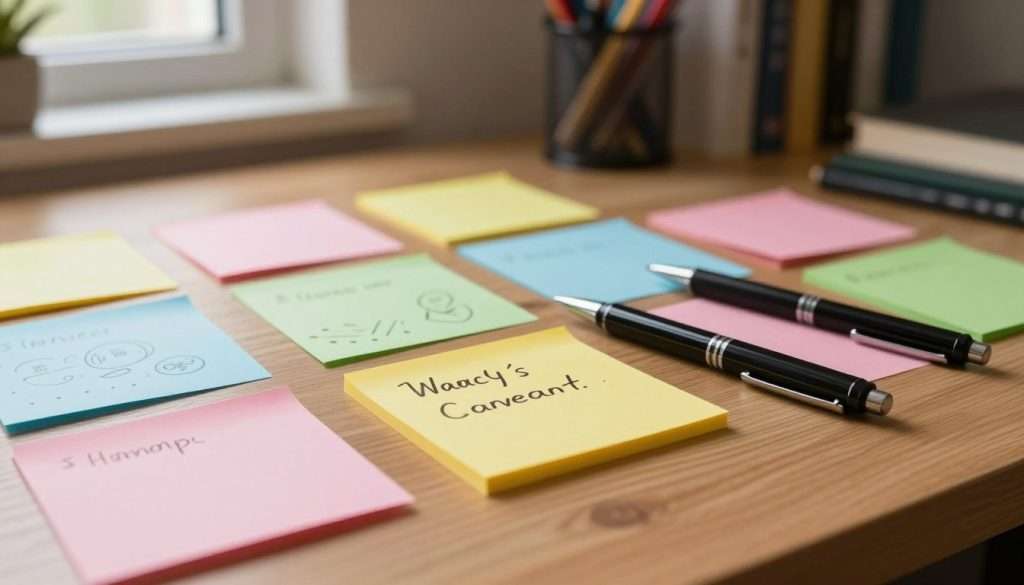
If you enjoy writing by hand, you may wonder whether paper note taking remains a strong choice among modern learning methods. Digital tools are common, but many students feel writing helps them understand information more deeply.
Advantages of Paper Notes
Slower writing that encourages summarizing
Since you cannot type as quickly as you write, you must listen more carefully. This slower pace filters information, helping you summarize key ideas instead of copying every word.
Greater freedom for sketches, layouts, and visual connections
Paper offers a blank canvas without software grids. You can draw arrows, make mind maps, or use marginal notes to connect ideas in ways your brain understands.
A focused study environment with fewer interruptions
When you open a notebook, notifications and browser tabs do not compete for your attention. This creates a distraction-free zone for studying the material before you.
Limitations of Paper Notes
Difficulty searching, reorganizing, and sharing pages
A major downside is that you cannot search for a specific term. Sharing notes with a study group also takes extra steps, such as scanning or photographing pages.
Limited space for extensive lectures or research materials
Physical pages eventually fill up. Long lectures or added research may leave you short on space or managing messy sticky notes.
Risk of loss, damage, or inconsistent organization
A notebook may be lost or damaged by a spilled drink. For neat paper note taking, use page numbers, a dedicated table of contents, and consistent topic symbols.
If this article resonated with you, consider my free book How to Become the Smartest Student in the Classroom. It gives you a full system. It covers memory techniques, study routines, and strategies that stick. It costs nothing, and there is no catch. Grab your free copy here → https://www.studyingmachine.com/free-books/.
How to Choose the Best Note-Taking Method for You
The best note-taking style matches your goals and tools. Focus on learning methods that fit your brain, not perfect notes. Good notes should help you grow.
Choose Digital Notes When Speed and Organization Matter Most
Digital tools help when you must capture a large amount of information quickly. If your professor speaks quickly, typing helps you keep up with the lecture. You can search your files later, which supports student success during finals week.
Choose Paper Notes When Focus and Visual Processing Matter Most
Handwriting makes you slow down and process ideas more deeply. You cannot transcribe every word, so you must focus on key points. This method works well for drawing diagrams or mapping complex ideas by hand.
Match the Method to Your Learning Environment
Your environment can help you choose the right tool. Use these common scenarios as a guide:
Large lecture halls and fast-speaking instructors
In a crowded room with a fast-paced lecture, digital notes are usually the better choice. They let you record key points without the physical strain of handwriting.
Quiet reading sessions and problem-solving practice
For deep work, such as solving math problems or analyzing dense textbook chapters, paper notes support focus. Without digital notifications, you can keep your attention on the task.
Classes that require collaboration or frequent resource sharing
If your class includes group projects or shared documents, digital platforms make it easy to sync work. This approach builds student success through shared knowledge.
Evaluate Your Notes by What You Can Remember and Explain
The best method helps you remember information. Do not judge notes by their neatness or number of colors. Ask whether you can explain the core concepts to a friend without looking at your page.
If this article resonated with you, my free book How to Become the Smartest Student in the Classroom gives you a full system. It includes memory techniques, study routines, and strategies that actually stick. No cost, no catch. Grab your free copy here → https://www.studyingmachine.com/free-books/.
Building a Hybrid Note-Taking System That Improves Study Results
Why settle for one learning method when you can combine the strengths of both? Many students seek effective note taking techniques and may feel forced to choose between keyboard speed and pen-based focus. This blend creates a flexible workflow that fits your specific needs.
Capture Class Information in the Format That Fits the Situation
Not every lecture needs the same approach. In a fast-paced class, when the professor speaks quickly, digital typing helps you keep up. It lets you capture raw data without falling behind.
For complex concepts or diagrams, switch to paper. Handwriting makes you slow down and process information, making it one of the most powerful study techniques available. Match your tool to the content’s speed and depth.
Convert Raw Notes Into Organized Study Materials
Once you capture your first thoughts, the real work begins. Turn messy raw notes into a structured resource that makes sense to your future self.
Summarize the main ideas in your own words
Avoid copying the textbook or lecture slides word for word. Write a short summary in your own voice that captures the core message and proves you understand the material.
Mark confusing points for follow-up
If something doesn’t click, don’t ignore it. Use a symbol or color to mark unclear areas, then ask your teacher or look them up later.
Create questions for active recall
Turn your notes into a quiz. Questions based on your content make your brain retrieve information, strengthening memory much better than simple reading.
Use Spaced Review Instead of Rereading Notes Passively
Rereading your notes the night before an exam creates stress. Instead, try spaced review, where you revisit your materials at increasing intervals. This habit moves information from short-term memory into your long-term knowledge base.
Test Both Methods During One Study Cycle
To find what works best, run a small experiment. Spend one week testing digital and paper tools, then compare their effects on your performance.
Compare recall, concentration, and review time
Track recall, concentration, and review time for each method. Did a pen help you focus, or did typing save time? These measures will reveal your learning style.
Keep the method that produces stronger learning results
At the cycle’s end, keep the tools that help you learn. For deeper study, my free book How to Become the Smartest Student in the Classroom offers a complete system. It includes memory techniques, study routines, and strategies that actually stick. No cost, no catch. Grab your free copy here → https://www.studyingmachine.com/free-books/.
Conclusion
The question “digital vs. paper notes: which one helps you learn better?” shapes your unique path to student success. Digital tools offer speed and organization for your busy life. Paper remains best for focus and deep visual processing.
Neither format is a magic wand for better grades; actively review, explain, and test your knowledge to make information stick. Run a quick test this week: use a laptop for one subject and a notebook for another, then see what suits your brain.
Your learning journey deserves a system that works as hard as you do. My free book How to Become the Smartest Student in the Classroom gives you a complete system. You will find memory techniques, study routines, and strategies that actually work, with no cost or catch.
Grab your free copy at https://www.studyingmachine.com/free-books/ to start building your best academic future today.