

In today’s world, we face a flood of information every day. It’s hard to keep up and use what we learn. That’s why the idea of a “second brain” is so important.
Think of a digital spot where you can save, sort, and find important info. It’s not just a dream; it’s a game-changer for learning and work.
With this digital brain, you can handle too much info better and work smarter. We’ll show you how to set it up and use your digital knowledge wisely.
Key Takeaways
- Understand the concept of a second brain and its benefits.
- Learn how to create a centralized digital repository.
- Discover strategies for organizing and retrieving information effectively.
- Improve your productivity by managing information overload.
- Enhance your learning experience with a well-organized digital knowledge base.
What Is a Second Brain?
In today’s world, our minds are filled with lots of data. That’s why we have the idea of a second brain. It’s a way to save and remember our ideas, inspirations, and insights. It’s like having a digital system that helps you, not hinders you.
The Concept Behind Digital Knowledge Management
The second brain idea focuses on digital knowledge management. It’s about capturing, organizing, and finding information easily. It’s not just storing data; it’s about linking different pieces of info together. This helps boost creativity and productivity.
How It Differs from Traditional Note-Taking
Unlike old-school note-taking, a second brain organizes info in a clear, connected way. It’s not just about writing down notes. It’s about creating a digital repository that helps you find info, get new ideas, and learn more.
Using a second brain system does more than organize your digital life. It improves your learning, creativity, and innovation. It’s a great tool for handling the vast amount of info we face every day.
Why Building Your Second Brain Matters
In today’s world, having a good way to store and find information is key. It’s important to manage many types of information well. This helps you grow your projects and reach your goals.
Information Overload in the Digital Age
We face a lot of data from different places, making it hard to know what’s important. This information overload can make us less productive and more stressed. A second brain system helps sort out the noise, so you focus on what’s crucial.
Benefits for Learning and Creativity
Having a good digital storage system boosts your learning and creativity. It lets you easily find your notes and ideas, leading to new insights. This way, you can build on your ideas, leading to big breakthroughs.
Productivity Advantages
Using a second brain can make you much more productive. You’ll find information faster and use it quicker. This is even better with productivity tools that work with your second brain, making your work flow smoother.
Building your second brain does more than just organize data. It turns into a powerful tool that boosts your learning, creativity, and productivity.
The PARA Method: A Framework for Organization
Organizing your digital life can seem daunting. But, the PARA Method offers a simple, effective way to manage it. It divides your digital content into four main categories. This makes it easier to find and use your information when needed.
Projects: Active Endeavors
Projects are tasks you’re working on now. This could be planning a trip, writing a report, or running a marketing campaign. They need your constant effort and have deadlines. Keeping project info in one spot helps you stay focused and on track.
Areas: Ongoing Responsibilities
Areas are your ongoing tasks without deadlines. These include taking care of your health, managing money, or growing your career. Organizing by area helps you stay on top of your long-term commitments without feeling swamped.
Resources: Topics of Interest
Resources are topics you’re interested in or need to refer to often. This includes books, articles, or ideas you’re exploring. Organizing your resources lets you easily access the information you need to make smart choices or find new ideas.
Archives: Completed or Inactive Items
Lastly, Archives are for finished projects, old resources, or inactive areas. Archiving keeps your active info clean and relevant. It prevents clutter from old data.
Using the PARA Method improves your personal knowledge management and digital knowledge structuring. You’ll be more productive, less stressed, and ready to reach your goals.
Building Your Second Brain: How to Organize Your Digital Knowledge
Building a second brain is more than just storing info. It’s about making a system that fits your needs. Let’s break it down into simple steps.
Assessing Your Current Digital Environment
First, take a look at your digital world. What tools do you use? Where do you keep your data? Make a list of:
- Note-taking apps
- Cloud storage services
- Email accounts
- Task management tools
This will show you where you are and where you need to go.
Setting Clear Organizational Goals
Next, decide what you want from your second brain. Do you want to:
- Boost productivity?
- Spark creativity?
- Manage info better?
Clear goals will help you organize better.
Creating Your Personalized System
With your goals in mind, create a system that suits you. Think about the PARA method – Projects, Areas, Resources, and Archives. Try out different tools and methods to find what works for you.
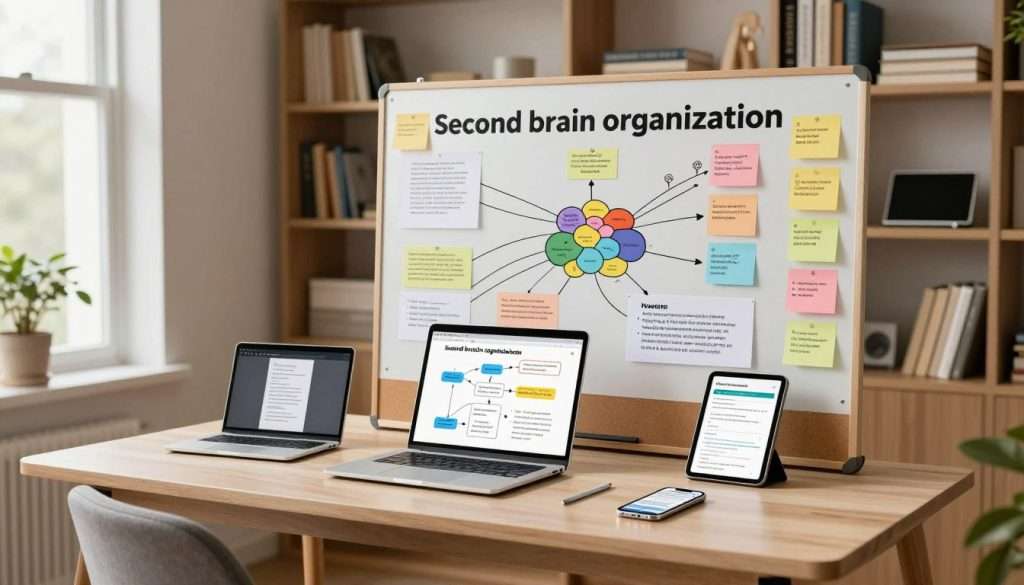
By following these steps, you’ll build a strong second brain. It will make your digital life better.
Capture: Collecting Information Effectively
Getting the right information is key for a good Second Brain. You need to gather info from different places and organize it well. This step is important because it affects how useful your digital library will be.
Tools for Quick Capture
To capture info fast, you need the right productivity tools. You can use apps like Evernote or OneNote, or browser extensions to save web pages. Pick tools that match your style and needs.
- Evernote for comprehensive note-taking
- Pocket for saving articles to read later
- Simplenote for minimalistic note-taking
What’s Worth Capturing?
You don’t need to save everything. Be picky about what goes into your Second Brain. Choose info that’s relevant, useful, or inspires you. This could be ideas, insights from books, or tasks you have to do.
| Category | Examples | Why Capture? |
|---|---|---|
| Ideas | Brainstorming sessions, creative thoughts | To develop and nurture creative projects |
| Insights | Key points from books, articles, podcasts | To learn and apply new knowledge |
| Tasks | To-do lists, reminders, project plans | To stay organized and productive |
Creating Capture Triggers and Habits
To make capturing a habit, set up triggers and routines. This could be a daily time to review and capture new info, or a reminder to jot down ideas.
By making capturing a part of your daily life, it will become easy. Your Second Brain will then be a strong tool for digital information storage and staying productive.
Organize: Structuring Your Digital Knowledge
As your digital knowledge grows, organizing it well is key. A good system lets you find your notes and ideas easily. It’s a great tool for learning and creativity.
Folder Structures and Naming Conventions
Building a logical folder structure is essential. Start with broad topics and then subfolders for specific themes. For example, you might have a “Projects” folder with subfolders for each project.
Consistent naming conventions help keep things organized. Use clear names and include dates or versions when needed.

Tagging Systems
Tags add an extra layer of organization to your files. They help you find specific information quickly. For instance, tag notes by project for easy access later.
The goal is to have a consistent tagging system that works for you.
Cross-Referencing and Linking
Linking and cross-referencing enhance your digital knowledge base. Use hyperlinks in notes or create a network of ideas. Cross-referencing shows relationships between concepts, deepening your understanding.
Use a tool that links notes together, creating a web of ideas. This makes navigation and discovering new connections easier.
Organizing your digital knowledge is an ongoing task. As your base grows, your system should too, to include new insights.
Distill: Extracting What Matters
Distilling information is crucial for unlocking your digital knowledge base’s full potential. As you gather more data, it’s vital to refine it. This makes it easy to access and use.
Progressive Summarization Technique
The Progressive Summarization technique is a great way to distill information. It involves summarizing your notes in layers. Start with a brief summary, then make it even shorter, and so on.
This method helps you identify the most critical information. It makes it easy to find and use.
Creating Actionable Notes
For your notes to be truly valuable, they must be actionable. This means you should be able to take real steps based on the info you’ve stored. By linking your notes to specific tasks or projects, your knowledge base becomes a tool for reaching your goals.
The Art of Digital Highlighting
Digital highlighting is an art that needs precision. It’s about identifying the key points in a text and marking them for later. Using digital highlighting tools well lets you quickly find the most important info. This saves you time and effort.
By using these distillation techniques, you can turn your digital knowledge base into a powerful tool. It becomes a key for learning, creativity, and productivity.
Express: Using Your Second Brain
Now that you’ve built your second brain, it’s time to use it. The “Express” step helps you boost productivity and creativity. With a well-organized second brain, you can find information fast, create new content, and work with others.
Retrieving Information When Needed
Having a second brain means quick access to information. Use tags, folders, and cross-referencing to keep your digital knowledge handy. This saves time and lets you focus on your tasks.
Creating New Content from Your Knowledge Base
Your second brain is more than just a storage place. It’s a springboard for creativity. By organizing your notes, you can spot patterns and connections that spark new ideas. It’s great for writing, presentations, or solving problems.
Sharing and Collaborating
A good second brain makes sharing and working together easier. With productivity tools like note-taking apps, you can share your work or collaborate with others. This is super helpful in team projects or when working with clients.
Mastering the “Express” step unlocks your second brain’s full power. It boosts your productivity and creativity. As you improve your system, it becomes a key part of your digital life.
Essential Tools for Your Second Brain
Starting a strong second brain means finding the right tools. Today, many apps and platforms help you store and use your knowledge well.
Note-Taking Applications
Note-taking apps are key for your second brain. They let you jot down info fast and easy.
Evernote, Notion, and Roam Research
Evernote, Notion, and Roam Research are top picks. Evernote helps you organize notes on any device. Notion gives you a flexible space for notes, tasks, and databases. Roam Research is great for linking ideas, making your thoughts connect.
Apple Notes and Microsoft OneNote
Apple Notes is perfect for Apple users, offering a simple note-taking experience. Microsoft OneNote is another strong choice, with advanced features and easy integration with Microsoft Office.
Knowledge Management Platforms
Knowledge management platforms help organize and link your info.
Obsidian and Logseq
Obsidian and Logseq are becoming popular for their ability to build a personal knowledge graph. They let you connect notes and see how they relate.
Tana and Craft
Tana uses nodes and edges for a flexible system. Craft has a beautiful interface for notes and knowledge management, with block-based editing.
Integration Tools
Integration tools are key for a great second brain.
Mobile Accessibility
Being able to access your second brain anywhere is crucial. Many tools have mobile apps, so you can use them on the go.
Cross-Platform Compatibility
Cross-platform compatibility is vital. Tools that work on different devices and systems give you the flexibility you need today.
As Tiago Forte says, “Your second brain is not just a tool, it’s a system for living.”
“The key to a successful second brain is not just the tools you use, but how you use them to create a system that works for you.”
Overcoming Common Challenges
Building your second brain can seem tough. But knowing the common challenges helps you tackle them. As you organize your digital knowledge, you’ll face several hurdles.
Dealing with Digital Overwhelm
Digital overwhelm is a big challenge. With so much info out there, it’s hard to know what to keep and what to toss. Focus on capturing only what’s truly relevant and useful to you.
Maintaining Consistency
Consistency is crucial for your second brain. Regularly reviewing and updating your system keeps you on track. It also makes sure it stays effective.
Finding the Right Level of Detail
Finding the perfect balance is key. You need enough info to be helpful, but not so much it’s overwhelming. This balance is essential.
Balancing Structure and Flexibility
Lastly, balance structure and flexibility in your system. It should be organized but also flexible for your changing needs. Knowing these challenges helps you build a strong second brain. It improves your digital knowledge organization and management.
Conclusion: Your Path to Digital Clarity
As we finish our guide on building your second brain, it’s clear that organizing your digital knowledge is key. Using the PARA method and the right tools can change your digital life. It makes it easier to manage and more productive.
By using a second brain, we free our real brain to think, create, and enjoy the moment. This freedom is the core of building your second brain: how to organize your digital knowledge. Good digital brain organization lets you find the info you need easily. This way, you’re not drowned in too much data.
Now, it’s your turn to start building your second brain. First, check out your digital space, set goals, and make a system that fits you. With practice, your digital clarity will grow. This will boost your productivity and creativity.